Email continues to be an essential tool in our daily lives. It allows us to communicate with friends and family and manage important matters related to work or many other aspects of our lives.
By 2026, email security will have taken on a new dimension. Artificial intelligence allows attackers to generate phishing messages that are almost impossible to distinguish from legitimate ones, while the volume of threats grows exponentially. According to the World Economic Forum, Cyberattacks linked to email remain the primary entry point for corporate security breaches globally.
In this article, we explain what email security is, how to tell if an email is secure, and what security measures you should take today to protect your account and your data.
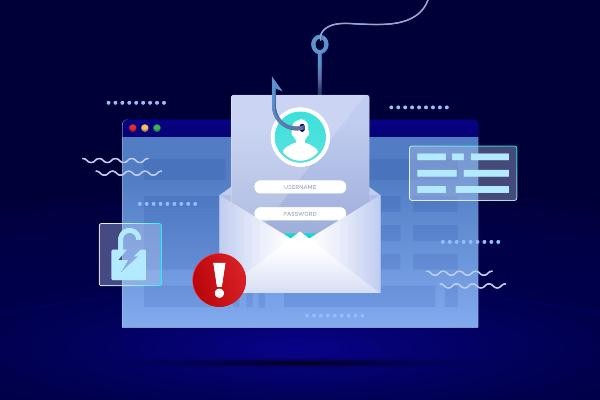
Why is email security critical today?
Email threats have evolved radically. We’re no longer just talking about spam or messages with spelling errors: today’s attacks are sophisticated, personalized, and, in many cases, almost imperceptible.
The main threats today are:
- IA Phishing (spear phishing generative). Attackers use sophisticated language models to craft phishing emails perfectly tailored to the recipient, mimicking the tone and context of the real company or person.
- Business Email Compromise (BEC). Frauds where the attacker impersonates the CEO, supplier, or business partner to redirect payments or steal confidential information. According to the FBI, BEC losses exceed $2.9 billion annually.
- Ransomware via email. Malicious attachments or links that, when opened, encrypt the device’s files and demand a ransom.
- Email spoofing and typosquatting. Falsifying the sender’s address or using domains almost identical to the legitimate one to deceive the recipient.
- Multi-layered social engineering attacks. Campaigns that combine email, SMS (smishing), and calls (vishing) to increase the credibility of the fraud.
Understanding the current landscape is the first step in implementing appropriate email security measures.
8 Ways to Make Your Email Safe
From Enthec, we explain 8 ways to make your email safe
1. Choose strong, unique passwords
A strong password is your first line of defense. Although it may seem an essential tip, many people still use easy-to-guess passwords, such as “123456” or “password”. To create a strong password:
- Use uppercase and lowercase letters, numbers, and symbols.
- Avoid using personal data such as your birth date or your pet’s name.
- Make sure it’s at least 12 characters long.
- Consider using a password manager to generate and store passwords securely.
Remember to change your passwords periodically and never reuse the same one on different accounts.
You may be interested in our publication→, How to Manage Passwords and Business Credentials Easily and Securely to Avoid Online Threats.
2. Turn on two-step verification (2FA)
Two-step verification is an email security measure that provides an extra layer of protection. This system requires you to enter a temporary code sent to your phone or generated by an application such as Google Authenticator, in addition to your password.
This method dramatically reduces the risk of someone gaining access to your account, even if they manage to obtain your password. Be sure to enable this option on as many accounts as possible, especially those that contain sensitive information.
3. Beware of suspicious emails
Knowing how to identify a secure email is key to avoiding scams such as phishing, a type of attack in which cybercriminals try to trick you into sharing sensitive information.
If you have any questions about an email that seems suspicious, follow these simple steps:
- Check the sender’s address. Attackers often use addresses that mimic those of well-known companies, with slight variations. For example, instead of “support@business.com,” it could be “support@bus1ness.com.”
- Look at the links. Before you click, hover over the link to check where it takes you. If it doesn’t match the official site, be suspicious.
- Look for spelling or grammar errors. Phishing emails often contain errors not found in official messages.
- Don’t share sensitive information. No serious entity will email you to ask for your password or banking information.
Don’t respond to or click on links in suspicious emails. Instead, contact the sender directly through its official channels.
4. Avoid public Wi-Fi networks to access your email
Connecting to public Wi-Fi networks without security can expose your email to attacks. If you need to use a public connection, consider these options:
- Use a virtual private network (VPN) to encrypt your connection.
- Avoid accessing sensitive information while connected to these networks.
- Turn off the option to automatically connect to Wi-Fi networks.
While convenient, public networks pose a significant risk to your privacy. If you have no alternative, use your mobile data connection to perform essential tasks.
5. Regularly update your devices and apps
Software updates bring new features and fix vulnerabilities that attackers could exploit. Keep up to date:
- The operating system of your computer and phone.
- The email app or client you’re using.
- The browsers you use to access your email.
Also, turn on automatic updates whenever possible to make sure you’re protected from the latest threats
6. Make regular backups
Even if you take every precaution, there is always a risk that your account will be hacked. Make regular backups of your important emails so you don’t lose valuable information; you can use cloud services or save files on a secure external device.
Backups can help you recover your information in the event of an attack and are also helpful if you need to access your data offline.
7. Educate your household members about digital security
If you share devices with others, ensure everyone understands the importance of protecting personal information. Discuss the risks of opening suspicious emails or using weak passwords. Teaching safe practices to your family members can prevent mistakes that compromise everyone’s safety.
8. Use advanced protection tools
Today, solutions such as Qondar can help you manage your email security more effectively. These tools detect potential threats and monitor whether your information appears in compromised databases. In this way, in real time, you can detect threats such as compromised passwords for your professional or personal email and the breach that caused the leak, so you can act before cybercriminals use them.
How to tell if an email is safe
Knowing how to identify a safe email is an essential skill. With AI-powered phishing, fraudulent messages no longer have the obvious flaws they once did. Here are the key signs to look out for:
Double-check the sender’s address carefully
Don’t rely solely on the visible name. Check the real address: attackers use typosquatting techniques (domains with letters changed, added, or replaced). For example, @company.com versus @company-support.com or @bussinness.com.
Check if the email uses TLS
In most email clients (Gmail, Outlook), you can see if a message was received with TLS encryption by clicking on the message details or the padlock next to the sender. An unencrypted email is a sign of risk.
Check SPF, DKIM, and DMARC authentication
In Gmail, you can see the authentication details. Clicking the three dots in the message > “Show original” will help you. If the SPF, DKIM, and DMARC results all show “PASS,” the email is likely legitimate. If any of these fail, exercise extreme caution.
Be wary of urgency and unusual requests.
Malicious emails often use a sense of urgency (“Your account will be suspended in 24 hours,” “Urgent payment required”). No legitimate entity will ever ask for passwords, bank details, or urgent transfers via email.
Hover your cursor over the links before clicking
Without clicking, hover your cursor over the link and observe the actual URL in the browser’s address bar. If it doesn’t match the official domain of the company it claims to be, don’t click.
Analyze the attachments with caution.
.exe, .zip, .doc files with macros, or .pdf files may contain malware. If you weren’t expecting an attachment from that person, contact them directly through another channel before opening it. If you’re unsure, you can upload it to VirusTotal for free analysis.
Qondar: Advanced protection for your emails and personal data
Qondar is a cyber surveillance solution designed for individual users who want to keep their information safe. As a Continuous Threat Exposure Management (CTEM) tool, Qondar allows you to:
- Detect potential vulnerabilities before attackers exploit them.
- Receive alerts on potential security compromises in real-time.
- Monitor the presence of your data in suspicious sources or underground networks.
With Qondar, you can have peace of mind knowing that your email and personal information are protected from digital threats.
Protecting your email security isn’t complicated, but it requires consistency and the right tools. From choosing strong passwords to identifying suspicious emails, every step you take shields your privacy.
If you’re looking for a complete solution to protect your personal information, Qondar is the ideal tool.
Don’t leave your security to chance: start managing your threat exposure with Qondar and always keep your data safe.